Overview
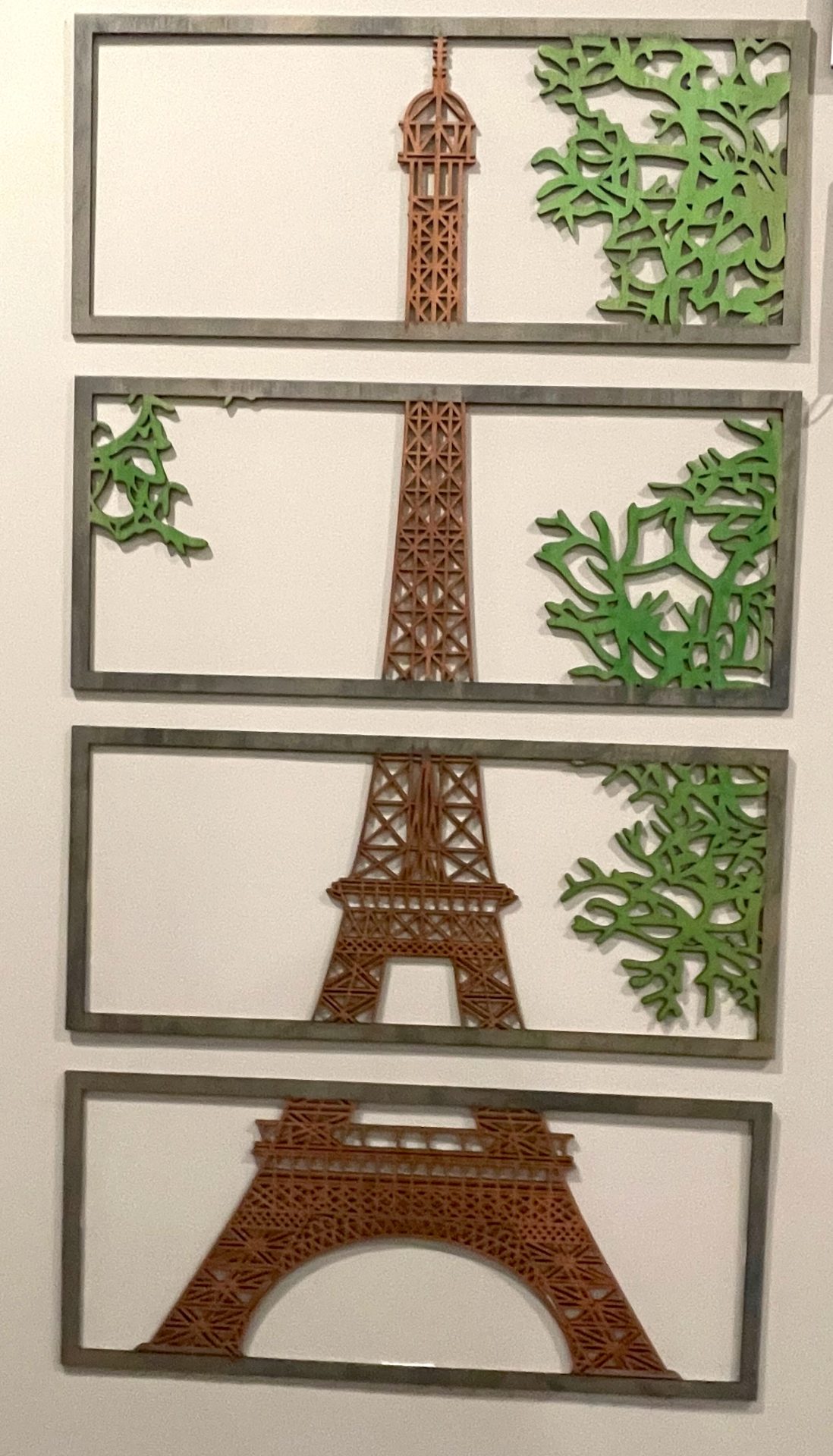
In this webpage, we help you create the Slice of Paris: Eiffel Tower in Four Frames Laser Cutting Creation.
Capture the essence of Paris with this stunning laser-cut Eiffel Tower, presented in a unique four-part frame design. Each segment showcases a section of the iconic tower, surrounded by intricately cut foliage. This project combines simplicity with elegance, perfect for decorating your home or gifting to someone special. Download the design files, follow the instructions, and create your Parisian masterpiece today. Whether for yourself or a loved one, this project will impress!
- The Slice of Paris: Eiffel Tower in Four Frames laser cutting Creation is a wall artwork.
- A unique gift choice for all ages.
- The project is made using MDF or plywood.
- It is an an intermediate Creation, and I expect the design can be completed in 2.75 hours for plywood and MDF.
However, the time required for completion will depend on the laser cutter you use, the size of the design, and your experience level. If you feel the estimated timing should be adjusted, please feel free to let me know via a comment below.
The free design can be downloaded here. (please notify me if the link is down)
Detailed instructions
Step 1. Prepare the required materials

- Plywood and MDF: Choose stains or dyes to be applied after laser cutting to enhance the natural wood texture. I chose to use green dye for the foliage, cedar dye for the tower, and black-green dye for the border.

Step 2. Download and open the design file

- download the design file from the provided link located on the project page.
- Unzip the file to access the SVG.
- Load the SVG into your laser cutting software.

Step 3. Prepare laser cutter settings

- Adjust the design size to fit your chosen material dimensions.
- Set the appropriate laser parameters:
- Cut: Specify power and speed for clean cuts and sufficient power for engraving to ensure it can be seen after applying dye or stain.
- Use the manufacturer’s guidance when selecting material-specific parameters.

Step 4. Cut all required layers

- Position the material on the laser bed.
- Run the cutting process.

Step 5. Complete post-cut finishing

- For Plywood and MDF: Wipe smoke marks away with a slightly damp rag. Apply the wood stain or dye.

Step 6. Carefully assemble the design

- A gloss spray enhances and protects the artwork for plywood and MDF.

Step 7. Prepare the design for mounting

- Attach a hanging mechanism, such as adhesive strips, to the back of the artwork.
- Verify that the mechanism is suitable for the wall surface.

You’ve successfully completed Slice of Paris: Eiffel Tower in Four Frames! Put it on display and enjoy the finished look.

     If you enjoyed this project, please share your experience and leave a comment below.
Need support with assembly?
- Create sample swatches of your paints, stains and dyes for laser cutting
- Laser cut items – masking vs cleaning with a wet rag
- 20 Laser Engraving Tips
- Leave a question
The completed Slice of Paris: Eiffel Tower in Four Frames